The Staff Path: Set Up Your Community in Four Steps
June 12, 2026 · Krishna Kamath
Updated July 23, 2026 for Join Requests, one link you can post anywhere.
This is the staff path: your organization runs the community. Membership is by personal invitation only, every family is verified against your records, and the community carries a verified badge throughout the app. Families know everyone they meet belongs there.
Four steps, in order.
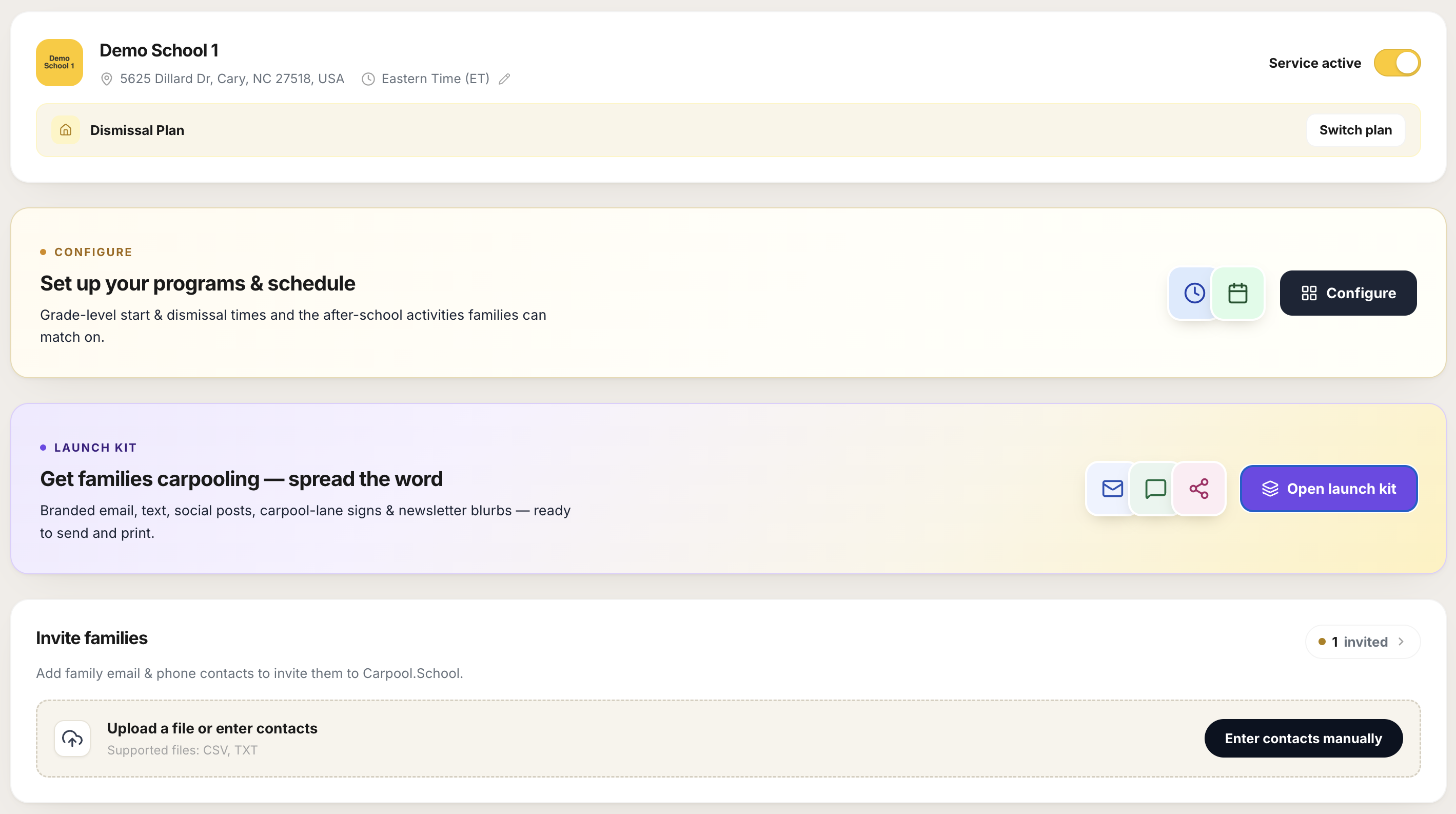
1. Activate service, choose your plan, and add your logo
Flip the Activate service toggle and accept the service terms. Until you do, families cannot join your community. The toggle works both ways: you can deactivate whenever you need to.
Then pick your plan. The base carpool service lets families coordinate rides. The Dismissal Plan adds dismissal management on top: digital pickup verification and driver arrival tracking, useful if your org checks who's picking up at release.
Upload your community logo before moving on. It appears on family-facing pages and on every Launch Kit material you generate in step 3. Without it, those materials go out unbranded.
2. Set up schedules and activities
This is what makes the app useful to your families before they talk to anyone.
- Schedules: one per distinct start or dismissal time. Families select the schedule that matches their child, so they only see families with compatible pickup windows.
- Events and activities: a list you curate. Families tick what applies to their child. A family looking for a soccer carpool will surface others heading to the same activity, not just families nearby.
Schedules = bell times. K-5 dismisses at 2:30, 6-8 at 3:15: that's two schedules.
Activities = everything beyond the bell. Soccer practice, chess club, aftercare: families in the same activity find each other for those hours.
The more complete this is, the more relevant the matches your families see.
3. Build your interest list
Open the Launch Kit. By default it uses your community's built-in request-to-join link, so there's nothing to set up: family asks land in your portal's request list. If you already run your own interest form (your website's registration page, a form you set up), paste that link once instead and every material updates.
The kit generates six ready-to-share materials, branded with your community name and logo, each with a scannable QR code, all pointing families to that link: email, group-chat text, social post, flyer, yard sign, and newsletter blurb.
Either way, responses become your interest list: families who raised their hand. Verify them against your roster, and they're who you invite in the next step.
See The Launch Kit for the full breakdown.
4. Invite families
For staff-led communities, families need a personal invitation to join. There is no shared signup link like parent-led communities have. Access is individual, by invitation only.
Your roster is your school's own enrollment list, the full truth of who belongs. Step 3 only tells you who raised their hand, a smaller, self-reported list. Cross-check the two, and upload the emails of families who are both interested and actually on your roster. Each upload sends a personal invite immediately, no separate "send" step and no manual approval on your end.
Asks that land in your Join Requests list work the same way: check the family against your roster, approve, and the same personal invite goes out. Upload in bulk when you're inviting many at once, approve as they arrive the rest of the year.
Until a family uses their invite to join, they sit in the Invited families list as pending.
That list is where the real work happens:
- Reminder due surfaces anyone who was invited a while back and still hasn't joined. These are the families worth nudging.
- Resend sends them a fresh invitation. The list shows when each family was last invited.
- Revoke cancels an invitation immediately. Invitations expire on their own; this is for invitations sent by mistake.
Families drop off the list as they join. For everyone still pending: a long-stale invitation usually means one of three things: it didn't reach them, it landed in spam, or they're not interested. A couple of resends are worth it; after that, let the invitation expire and move on.
Who ends up in your community
Every member passed two gates: they raised their hand, by asking to join or answering your interest form, and you approved them with a personal invite they had to use, accepting the terms on the way in. No one is visible to your families without both. Contact info for families who never join isn't kept.
Your community contains exactly who you chose, and who chose back. What stays private →
Questions? support@carpool.school