The Launch Kit: Ready-to-Share Invite Materials for Every Community Admin
July 21, 2026 · Krishna Kamath
Updated July 23, 2026 for Join Requests, one link you can post anywhere.
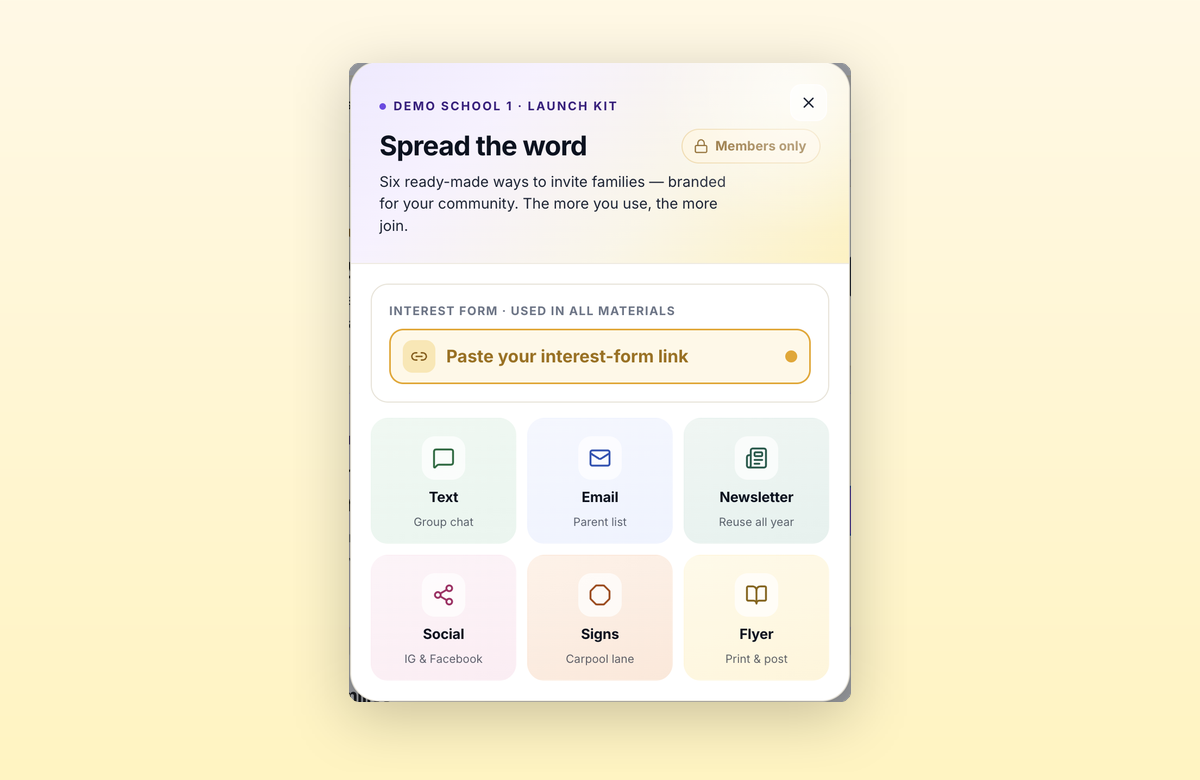
Inviting other families is the step that slows most new carpool communities. The Launch Kit shortcuts it: six ready-to-use materials, personalized for your community, generated in seconds.
Six materials
Each one is tailored with your community name, the link you choose, and a scannable QR code. Staff-led communities get their uploaded logo on every piece too; parent-led materials carry the community name only.
| Material | Best for |
|---|---|
| Group-chat text | ClassDojo, WhatsApp, Discord (short enough to actually get read) |
| Parent email | Parent mailing list, PTSA member list |
| Newsletter blurb | Newsletters and bulletins |
| Social media graphic & caption | Community's private Facebook group, class or activity Instagram |
| Yard sign | Carpool lane, pickup/drop-off areas, building entrance |
| Printable flyer | Bulletin boards, handouts |
Where to find it
- Parent-led: Right after you create your community, and anytime later under Account.
- Staff-led: Under Setup in the admin portal.
Parent-led vs. staff-led
Parent-led: The kit can point at either of your community's two links.
- Request-to-join link (the default). It only asks: requests land in your Join Requests list, and approving one sends the invite automatically. Post it anywhere, yard sign included. The worst case is someone asks and you decline.
- Community-wide invite link. Anyone who has it joins instantly. Best for channels only your families see. If it ever gets out, remove anyone who doesn't belong or rotate the join code (printed QR codes carrying the old code stop working and would need a reprint).
Staff-led: There's no community-wide invite link, so the kit's job is awareness. It can point at either of two links, and since neither grants access on its own, post either one wide: the carpool lane, the school website, wherever your families already are. Verifying and inviting still happens in the portal.
- Request-to-join link (the default). Nothing to set up. Asks land in your portal's Join Requests list.
- Your own interest form. A registration page or form you already run. Paste its link once and every material updates.
The six materials are identical whichever link you choose. Only the link inside them changes, and just one of those links has to stay private: the community-wide invite link. Every other option is fine in public.
Can I customize the materials?
Depends on the part.
- Written copy: yours to edit. The parent email, group-chat text, newsletter blurb, and the social media caption are starting copy. Copy them out and edit however you like (the email and newsletter blurb also offer an HTML-formatted copy option).
- Designed pieces: fixed. The printable flyer, the yard sign, and the social media graphic are generated ready to use, personalized by your community name, logo (staff-led), and link, which also becomes the QR code. Layout and wording can't be edited.
Want one in your school's own style? Copy your link or QR code into any design tool you already use. The link is the part that matters; the rest is presentation.
Missing something the materials should do for everyone? Tell us at support@carpool.school. Small changes usually ship within a day.
Sharing takes two minutes
Your community name and link are already filled in, whichever type you run. Pick what you need, copy or download, done.
Then do it again next month. A family who doesn't need a carpool today may need one later: a kid picks up an activity, a work schedule shifts, a carpool they counted on falls through. Each share reaches whoever happens to need it that week.
Put a yard sign in the carpool lane this week, drop the group-chat text into the class chat in a few weeks, add the blurb to the next bulletin. The request link doesn't rotate, so a sign you print today still works in May. And next September. Once the materials are out, they keep recruiting on their own, school year after school year.